
For people with too many tabs open
Stop hoarding tabs to keep from losing links.
If your tab bar looks like a slot machine of tiny favicons, it's because Chrome never gave you a real place to put things. More Shortcuts is that place, unlimited shortcuts and folders, so every important link is organized and saved instead of trapped in a tab you're afraid to close.
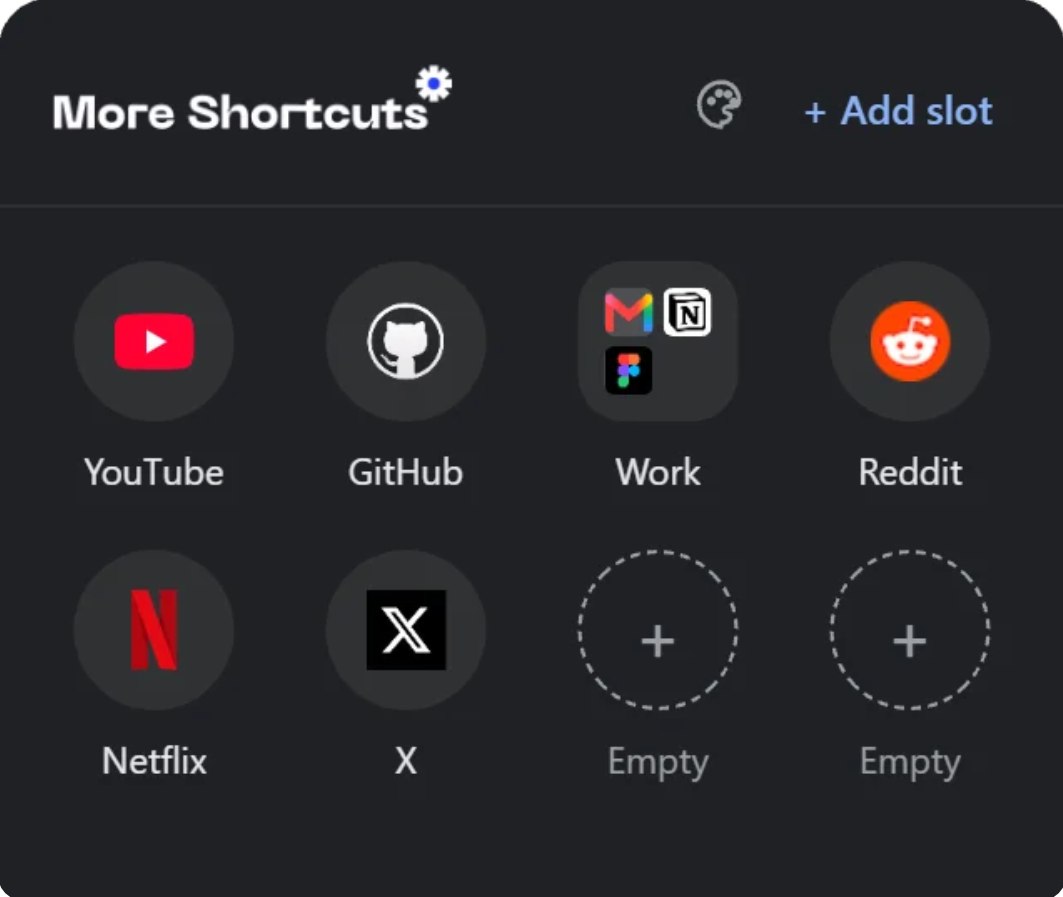
Your tabs are doing a job shortcuts should be doing.
- 40+ tabs open because closing one feels like losing it.
- The one link you actually needed, buried six tabs deep.
- Chrome's shortcut tray caps out at a handful, nowhere to put the rest.
- No folders, no grouping, just one long row you don't control.
A real home for every link you don't want to lose.
- Save the tab you're on in one click, then actually close it.
- Unlimited shortcuts, so nothing gets left out to keep a tab open.
- Drag one onto another to build a folder for work, research, whatever.
- Pick from 8 themes so it actually matches your setup.
Built for people who never close a tab
Everything you need to turn "I'll lose it if I close this" into "it's already saved."
Unlimited shortcuts
Save every link you'd otherwise keep open "just in case." No fixed cap, no "upgrade to add more."
Folders
Drag one shortcut onto another to group them: work, research, whatever you've been hoarding tabs for.
Drag-and-drop everywhere
Reorder tiles, merge shortcuts into folders, or merge two folders together. It just works.
8 built-in themes
Dark, Light, Midnight, Ocean, Sunset, Forest, Grape, and Sepia. Switch anytime, it's remembered next time you open it.
Save the tab you're on
Found something worth keeping? One click saves the active tab's URL and title, so you can actually close it.
Synced to your Google account
Shortcuts, folders, and your theme follow you to any Chrome browser signed into the same account, through Chrome's own chrome.storage.sync, no third-party servers or accounts of ours.
Make it look like yours
Every theme is a full palette swap: background, tiles, accent, everything. Pick one from the palette icon and it sticks.
Try one. It changes this whole page, not just the preview.
Up and running in under a minute
More Shortcuts is live on the Chrome Web Store. Installing it takes a few seconds.
Confirm the install
Chrome will ask you to confirm. Click Add extension and it's ready to go.
Add, organize, theme it
Click the toolbar icon, drop in your sites, group them into folders, and pick a theme that fits.
What people are saying
Real feedback from the Chrome Web Store.
“Not bad. It is nice to be able to organize my links into things for school or work. Do love the themes.”
